


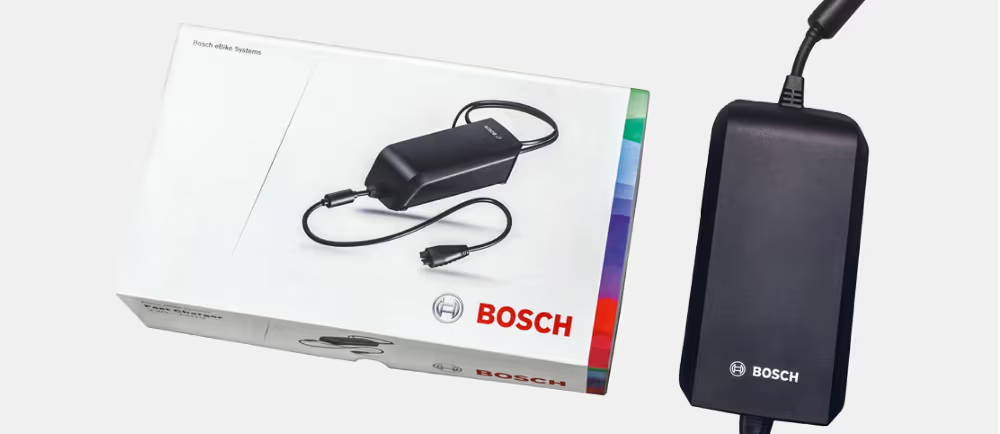
The green light indicates that the charger is ready to charge. If the light is solid, this means that the circuit is open, so it is not actively charging, and it is waiting to be plugged into the battery pack.

E-Bike Charger Light Stays Green But Battery Won't Charge
Written by: Nick Cowie| November 16, 2026 | Time to read 5 min
The electronics part of e-Bikes can get confusing and frustrating. If you notice that your battery is not charging despite a green status light, there might be an issue with the communication within the system.

More about the Author: Nick Cowie
Nick is a writer with seven years of experience in the cycling industry. In his free time, he enjoys swimming, Jiu Jitsu, and spending time outdoors.

If your power supply indicator is giving false readings, there is likely an issue with the electronic communication system within your e-Bike. If you notice that your battery is not accepting a charge and that the status light is staying green, you have one of these communication problems. Let’s go over the possible causes and best solutions to get your bike back to charging reliably.
👋 Welcome to Upway!
Upway is your top destination for buying and selling e-Bikes online. Discover your next e-Bike at up to 60% off retail prices, available in new or like-new condition.
Table of Contents
What does the green light mean?
Under normal circumstances, the green light on your charger is a positive and helpful indicator. It means that your charging brick is successfully receiving electricity from the outlet, but is not transferring the current into the bike battery. It is typically green when you plug the charger into the wall but have not yet plugged it into your bike. This shows that the system is idle and waiting to detect a closed circuit. Plugging in the charger to the frame typically closes the circuit. If the green light stays on after plugging in, it means that the charger cannot detect the battery cells, leaving it stuck in its idle state.
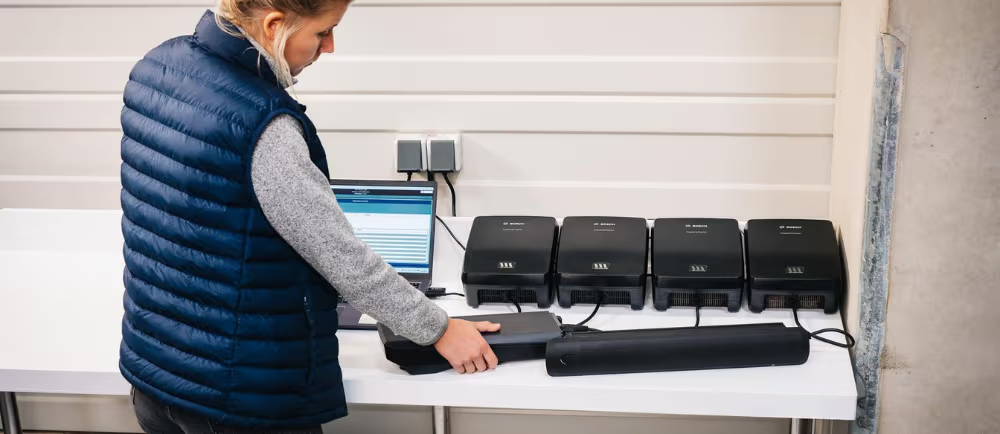
What can cause a circuit to remain open?
To get your bike to charge, you need to create a closed circuit. To do so, you need to surpass whatever is causing it to remain open. Here are the most common causes that can lead to your charger being stuck in the idle position.
- Fuse Damage: If you experience a sudden surge or sparks upon plug insertion, it might result in the port fuses in the battery pack popping or melting. This can sever the pathway between the charging port and internal cells.
- Poor Connections: A closed circuit depends on a steady connection between the charging cable and the soldered area behind the plastic frame port. Over time, these connections can break or loosen from regular plugging in and unplugging of the charging cable.
- Pin Issues: The pins within the plug or frame jack can be sensitive. If these pins are dirty or bent, it will stop the connection from occurring inside the plug. Damaged pins inside the frame jack can create a physical block that stops the current from traveling properly and making metallic contact.
Protective Sleep
Another way that the communication from your charger can be interrupted is if your battery goes into protective sleep mode. This happens when you leave a lithium-ion battery empty or allow it to drain past a critical low-voltage baseline. When this happens, the battery shuts down its terminals to isolate the cells, which prevents the battery from recognizing the charger. Do not attempt to force the charge in this case, as it may permanently disable the battery.
How can I fix it?
Hopefully you are able to identify one of these issues as the problem with your battery. Once you diagnose the problem, you can use one of these common solutions to fix it and make it possible to charge your battery again.
- Battery Pack: To test if the battery pack itself is the issue, you can reseat the pack by unattaching it, checking for alignment issues, and sliding it back into the frame cradle. You can also clean the pins, look for bent ones, and clean the charging port with compressed air.
- Check the Battery Management System and Fuses: Start by power cycling your BMS, letting everything sit completely off for at least 15 minutes before powering it back on. If you notice that your battery is too hot, let it cool off and try again. It may have surpassed a temperature threshold. Finally, inspect the charging fuse and see if there are any broken filaments or burn marks indicating that it needs to be replaced.
- Test Voltage: You will need a multimeter for this option. Set it to DC voltage and place its probes on the charger’s barrel or pin outputs. A standard 36 V charger should read about 42 V and a 48 V charger should be near 54 V. If the tool reads zero or far lower than it should, the charger is defective.
Frequently Asked Questions
What does the green light on the charger do?
How do I prevent protective sleep?
To make sure your battery does not go into protective sleep mode, you can keep it charged. When the battery dies, avoid letting it sit in that state for any meaningful period of time. If the battery goes into protective sleep, try to reset it rather than force a charge.
What does it mean if my test says there is no voltage?
If your multimeter reads zero, this means that you have a faulty charger. The good news is that this likely means that the battery is okay. Buying a new charger is always preferred over buying a new battery.
Key Takeaways
- A green light does not mean charging: The battery is not actively charging if your charger’s light is a solid green. This light simply means that it is ready to charge when it is plugged in.
- Charges need a closed circuit: For a current to reach a battery, a circuit needs to be closed. If your green light is stuck on, that means that something is preventing the circuit from closing.
- Upway sells quality e-Bikes: Upway ensures that all of your electric road bikes, mountain bikes, city bikes, and more are equipped with safe batteries and have the proper charger.


MY WISHLIST
Your wishlist is empty.
Continue shopping
Drop Us A Line
We’re happy to answer any questions you have or provide you with an estimate. Just send us a message in the form below with any questions you may have.
Continue shopping