Start with the app made for your bike or drive system. Bosch eBike Flow, Shimano E-TUBE PROJECT Cyclist, Specialized, Trek Central, and similar companion apps can access bike-specific features. For navigation and ride tracking, apps such as Strava, Komoot, Ride with GPS, and Trailforks serve a different purpose.
Should You Use Your Electric Bike’s App?
Written by: Chris Van Leuven | August 21, 2026 | Time to read: 8 min
Should you use your electric bike’s app? Learn when e-Bike apps are useful for motor tuning, battery range, firmware, security, navigation, and ride tracking.

More about the Author: Chris Van Leuven
Chris is a writer, climber, and founder of Yosemite E-Biking in Mariposa, CA. When he’s not tackling Sierra Foothills trails or scaling rock walls, he’s crafting adventure stories with his boxer, Fenster. His work has appeared in Outside, Men’s Journal, Gripped, and Best American Sports Writing.
Plenty of e-Bikes work just fine without a phone attached to the handlebars. Turn the bike on, choose an assistance level, and ride. I like that simplicity.
But I wouldn’t completely ignore the app that goes with your e-Bike, if there is one. It may let you adjust motor support, check range, update firmware, diagnose a problem, or activate security features. You may only open it a few times a year, but those few times can matter.
In this blog, I’ll look at what your e-Bike’s app can actually do, which features are worth using, and when I’d rather leave my phone in my pocket.
👋 Welcome to Upway!
Upway is your top destination for buying and selling e-Bikes online. Discover your next e-Bike at up to 60% off retail prices, available in new or like-new condition.
Table of Contents
Do you need an app to ride an e-Bike?
Which e-Bike app features are actually useful?
Can you adjust your e-Bike motor with an app?
Can an e-Bike app help with battery range?
Are e-Bike security features worth using?
What about navigation, Strava, and other cycling apps?
When I’d leave my phone in my pocket
Do you need an app to ride an e-Bike?
For basic riding, usually not. Many e-Bikes have physical controls for changing assistance and a display showing speed, battery level, and ride mode. If that describes your bike, you may go months without opening its companion app (I used mine at first, but hardly ever now).
Still, I’d set it up at least once. Some connected e-Bikes put motor settings, firmware updates, ride history, battery information, security, and diagnostics in the app. You may not care about half of those things until something changes or stops working. On a new-to-you e-Bike, I’d pair the app once and see what’s available. After that, use as much or as little of it as you want.
Which e-Bike app features are actually useful?
Apps vary by bike and drive system. Some are little more than another display. Others give you meaningful control over the bike.
These are the features I’d pay attention to:
| App Feature | Why I’d Use It | When It Matters |
|---|---|---|
| Motor tuning | Change how assistance feels | Factory settings don’t suit your riding |
| Battery and range information | Get more context than a battery percentage | Long rides or unfamiliar routes |
| Firmware updates | Keep compatible systems current | Periodically or while troubleshooting |
| Diagnostics and error information | Get more clues about a problem | Error messages or unusual behavior |
| Security features | Add another layer of theft protection | Parking or storing the bike away from home |
| Navigation | Plan and follow routes | Exploring unfamiliar areas |
| Ride tracking | Record mileage, fitness, and ride history | If you actually care about the numbers |
You don’t need to use every feature simply because it’s there. I’d figure out which ones make your bike more useful. Motor tuning may change how the bike rides. A range estimate could keep you from running out of battery. Error information can help when something goes wrong. Knowing you climbed 1,437 feet on your morning ride may or may not interest you.
Can you adjust your e-Bike motor with an app?
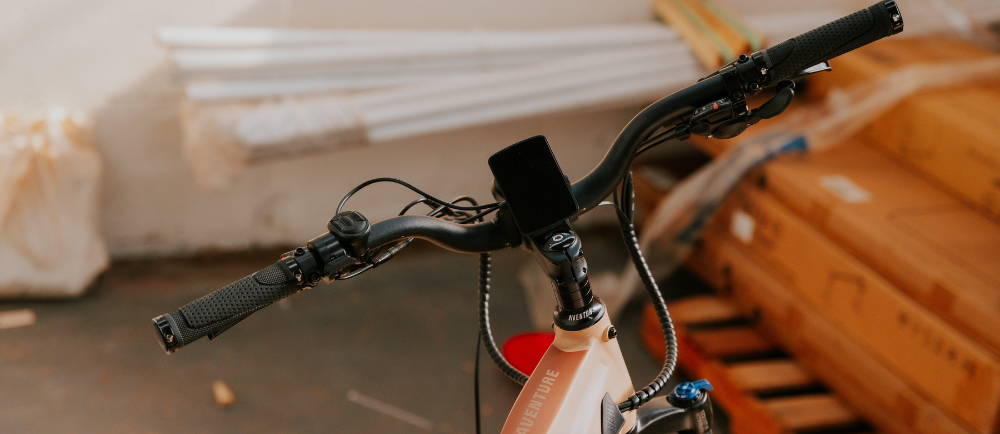
On some e-Bikes, yes, and this is one feature I’d experiment with. Factory assistance settings have to work for a wide range of riders. You may want something different. Shimano’s E-TUBE PROJECT Cyclist app, for example, allows riders with compatible systems to customize assistance characteristics. Trek Central also provides motor tuning on compatible bikes.
That can be useful if an e-MTB delivers more assistance than you want on technical terrain, or if you want to use less power and stretch the battery on a long ride. Make small changes rather than adjusting everything at once. Ride the bike and see whether you actually prefer it. You might discover that the factory settings were pretty good in the first place.
Firmware can be another reason to keep the app around. Some systems, including Shimano E-TUBE PROJECT Cyclist and Bosch eBike Flow, support updates through a phone, while other systems require a dealer. Upway’s guide to updating e-Bike firmware covers that process in more detail.
Can an e-Bike app help with battery range?
Seeing 47% battery on the display is useful. Having an estimate of how far that 47% might take you is better. Some connected systems estimate remaining range using battery charge, assistance level, and other riding information. That can help when you’re pushing the battery to its limits.
If your commute is ten miles and the bike easily handles the round trip, you probably don’t need to study the app every morning. Thirty miles into an unfamiliar ride is different. A range estimate can help you decide whether to keep using a high assistance level or back it down. Treat the number as an estimate, though. Hills, rider weight, wind, temperature, tire pressure, terrain, and assistance level all affect e-Bike range.
Are e-Bike security features worth using?
This may be the best reason to set up the app. Connected security varies between bikes. Compatible systems may offer functions such as electronic locking, alarms, location services, or tracking. Specialized, Bosch, and Aventon are among the brands and drive systems offering connected security features on compatible e-Bikes. Aventon’s newer connected models, for example, can offer GPS tracking, motion alerts, geofencing, and remote motor shutdown through the Aventon app.
I’d still use a good physical bike lock. Electronic security offers another layer of protection, but it doesn’t physically secure the bike to anything. You may not care about ride statistics or motor tuning. Knowing the bike has a useful theft-deterrence or location feature is different.
What about navigation, Strava, and other cycling apps?
Your e-Bike’s companion app and a general cycling app aren’t the same thing. Companion apps from Bosch, Shimano, Specialized, Trek, and other e-Bike brands and drive-system manufacturers can interact with compatible bike systems. Strava, Komoot, Ride with GPS, Google Maps, and Trailforks are primarily useful for navigation, route planning, fitness, and ride tracking.
I wouldn’t load my phone with a bunch of cycling apps (I use a Coros watch) that all do roughly the same thing. Pick the one that solves the problem you actually have. Navigation is useful when I’m somewhere unfamiliar. Ride tracking is more personal. Some riders want every mile, climb, and heart-rate reading saved. Others would rather finish the ride without thinking about any of it.
Upway already has a guide to the best e-Bike apps for navigation, fitness, and maintenance if you’re looking for cycling apps beyond the one that came with your bike.
When I’d leave my phone in my pocket
One of the things I like about riding a bike is that it doesn’t have to become another screen. Once the motor is set the way I want it, the battery has enough range, and I know where I’m going, I don’t need my phone displaying another dashboard. The bike’s controls already give me what I need.
There are practical reasons not to become too dependent on an app, either. Bluetooth connections drop. Phones run out of battery. Apps change. Older bikes may eventually run into app, operating-system, or software compatibility issues. Privacy is worth considering, too. If an app wants access to your location or other information, check the permissions and decide whether the feature is worth it.
I prefer an e-Bike that remains useful without a phone. But if the app helps me modify the motor, update the system, figure out a problem, manage range, or protect the bike, I’ll use it when I need it.
Frequently Asked Questions
What is the best app for an electric bike?
How do I connect my e-Bike to my phone?
Most connected e-Bikes pair through Bluetooth using the manufacturer’s compatible app. Follow the instructions for your exact bike or drive system, because pairing procedures and available features vary by model.
Do I need to keep my phone connected while riding an e-Bike?
Usually not. Many e-Bikes can be ridden normally using their physical controls and display. Navigation, tracking, security, and other connected features may require a phone or app on some systems.
Key Takeaways
- You probably don’t need an app to ride your e-Bike. But setting it up once can give you access to useful motor, battery, firmware, diagnostic, and security features.
- The best features interact directly with the bike. Motor tuning, range estimates, firmware, diagnostics, and security give a companion app capabilities you won’t necessarily get from a general cycling app.
- Your e-Bike’s companion app and a cycling app do different jobs. The manufacturer’s app can interact with the bike, while Strava, Komoot, Ride with GPS, and similar apps focus more on navigation, training, and ride tracking.