It means the display and controller have lost communication with each other, not that the motor itself has failed. Most cases trace back to a loose connection or a wiring issue instead of a hardware failure.
TQ HPR50 E-Bike Motor Troubleshooting
Written by: Tom Fortune | August 26, 2026 | Time to read 5 min
The TQ HPR50 is one of the quietest, lightest mid-drive motors out there, found on bikes like the Trek Fuel EXe and Scott Lumen. When something goes wrong, the error code on the display is your first clue.
More about the Author: Tom Fortune
Tom is a Brit living in the French Alps. When he's not creating written and video content for various brands, he's either pedalling or snowboarding around his local mountains. E-Bikes have unlocked the potential for Tom to explore Alpine terrain and get away from the crowded bike parks. He is only too keen to share his knowledge and experience with other riders.
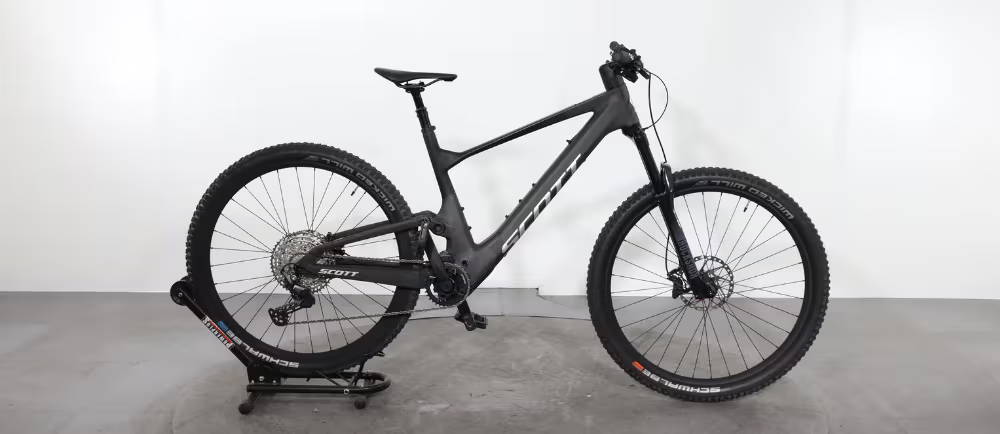
The TQ HPR50 is one of the lighter, quieter mid-drive electric bike motors on the market right now. It's compact enough that TQ fits a full mid-drive system into a housing barely bigger than a water bottle, thanks to something called a harmonic pin ring transmission. You’ll find it on lightweight electric mountain bikes like the Trek Fuel EXe, Trek Domane+ SLR, Scott Lumen, and Scott Silence.
It’s a well-engineered system, but like any motor, it throws error codes when something’s not right. Here’s what the common ones mean.
👋 Welcome to Upway!
Upway is your top destination for buying and selling e-Bikes online. Discover your next e-Bike at up to 60% off retail prices, available in new or like-new condition.
How the Error Codes Work
Every TQ HPR50 system constantly monitors itself. When something’s wrong, the display shows a code, something like ERR 481 or WRN 601, made up of a number and a short label like DRV SW or BATT COMM.
You should see all these meanings in the user manual, but the label tells you roughly where the e-Bike problem is. DRV means drive unit, BATT means battery, SPD SENS means speed sensor, and so on. That’s useful context even before you look up the specific code.
Common Error Codes and What They Mean
| Error Code | Cause | What to Do |
|---|---|---|
| ERR 401/402 DRV SW | General software error | Restart the system first; contact a dealer if it comes back |
| ERR 403 DRV COMM | Peripheral communication error | Usually a connection issue between components |
| ERR 440 DRV HW | Electronics fault in the drive unit itself | Reboot and see if it clears |
| ERR 480 DRV SENS | Drive unit assistance fault | Reboot, check for a firmware update; if it happens again right at startup, the motor likely needs replacing |
| ERR 481 BATT COMM | Drive unit and battery aren't communicating properly | Reboot; contact a dealer if it persists |
| WRN 601/605 SPD SENS | Speed sensor problem | Often just the magnet and sensor sitting too far apart on the wheel |
| WRN 602 DRV HOT | Drive unit is overheating | Let it cool down before riding again |
Most of these clear with a restart or a firmware update. The ones that don’t clear, or that keep coming back, usually point to a hardware issue that needs a dealer’s diagnostic tool to confirm.
The Torque Sensor Issue Worth Knowing About
ERR 49C is a torque sensor error that comes up more often than most other codes on this motor. TQ rates the HPR50 to an IP67 water resistance standard, but this exact error can show up after riding in heavy rain or right after washing the bike.
Just because you have a bike with this motor doesn’t automatically mean you’ll get the error, as plenty of HPR50 motors never have it. But if you’re riding in wet conditions regularly, it’s worth knowing this is a documented weak point, and that a trip to a dealer is usually the only fix.
Battery and Charging Errors
The HPR50’s battery management system has its own set of codes, separate from the motor errors:
| Error Code | Cause |
|---|---|
| BATT HW | Hardware fault in the battery itself |
| BATT OV | Battery voltage or a specific cell reading too high |
| BATT UV | Voltage reading too low, sometimes from a deep discharge |
| BATT GEN | Often something more serious, like a short circuit |
None of these are things to troubleshoot yourself other than checking the connections and trying a restart. A battery showing hardware or voltage errors needs a dealer’s diagnostic tool.
Basic Troubleshooting Steps
Before assuming the worst, work through this order:
| Step | What to Do |
|---|---|
| 1. Restart | Power the system off completely and back on |
| 2. Update | Check if a firmware update is available and install it |
| 3. Check the crank | If the chainring won't turn at all when you push the pedals, check that the crank and lockring are properly seated |
| 4. Note the trigger | If the error only shows up under specific conditions (wet weather, high torque, cold starts), note what triggers it; this detail helps a dealer diagnose it faster |
When You Need a Dealer
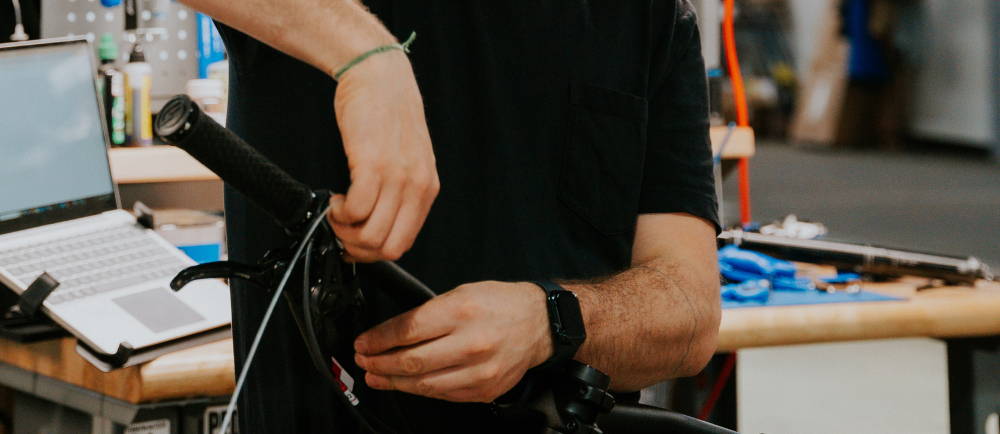
Some issues are DIY-fixable. A speed sensor warning is often just a misaligned magnet. A software error usually clears with a restart or update.
Anything involving BATT HW, BATT OV, drive unit hardware faults, or a torque sensor error that won’t clear needs TQ’s Dealer Service Tool to diagnose properly. These systems are sealed units, so you can’t open them up at home, and doing so risks voiding whatever warranty coverage you still have.
If you’re weighing repair costs against just moving on to a different bike, it’s worth knowing that used lightweight e-MTBs with the HPR50 or similar motors show up regularly on the used electric bikes market. Every e-Bike on Upway gets a 50-point inspection before it’s listed, motor and battery included, so you’re not inheriting someone else’s unresolved error codes.
Browse the electric bikes selection, or the sale collection if a newer bike makes more sense than another repair bill.
Frequently Asked Questions
What does Error 30 mean on a TQ HPR50 motor?
Can I fix a TQ HPR50 error myself?
Some can. Restarting the system, checking for a firmware update, and reseating connections clear a lot of common faults. Anything involving battery hardware, voltage errors, or a torque sensor fault that won't clear needs TQ's Dealer Service Tool.
Is the TQ HPR50 reliable?
It's a well-engineered system overall, but torque sensor errors linked to wet riding conditions come up more than other faults, despite the motor's IP67 water resistance rating.
Key Takeaways
- TQ HPR50 error codes follow a pattern: DRV means drive unit, BATT means battery, and the number tells a dealer exactly what’s wrong.
- Torque sensor errors (ERR 49C) come up more than other codes, sometimes linked to wet riding conditions despite the motor’s IP67 rating.
- Software and connection errors often clear with a restart or firmware update, but hardware and battery faults need a dealer’s diagnostic tool to resolve properly.