Not always. Messages can differ by display type and model year. Use the message as a clue, then verify in the Specialized app or with a dealer if it returns.
Specialized Error Codes List: Meanings, Quick Fixes, and When to Visit a Dealer
Written by: Chris Van Leuven | January 31, 2026 | Time to read 5 min

More about the Author: Chris Van Leuven
Chris is a writer, climber, and founder of Yosemite E-Biking in Mariposa, CA. When he’s not tackling Sierra Foothills trails or scaling rock walls, he’s crafting adventure stories with his boxer, Fenster. His work has appeared in Outside, Men’s Journal, Gripped, and Best American Sports Writing.
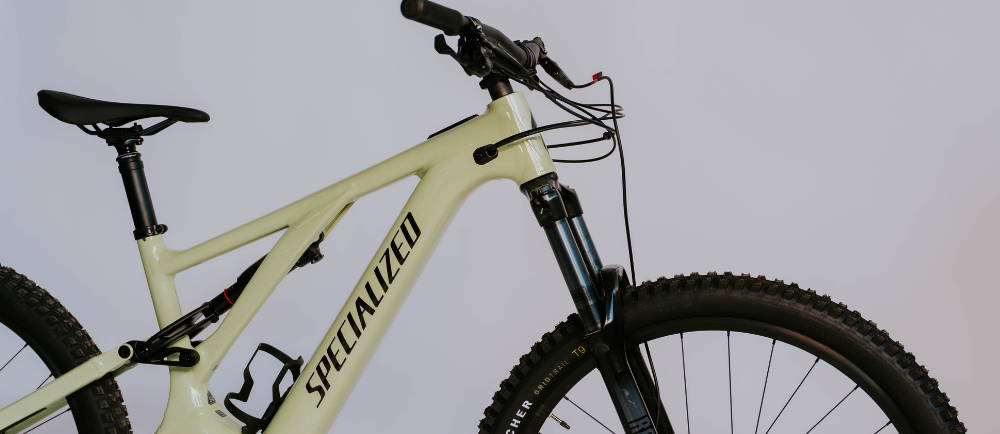
When your Specialized Turbo displays an error, perform quick troubleshooting first—then have a dealer scan it before making guesses. Specialized was founded in 1974, the Stumpjumper came out in 1981, and Turbo launched in 2012—bringing a “bike-first” approach to modern e-Bikes.
If something goes wrong, most Turbo systems make it easy to figure out what happened. Instead of flashing a confusing code, you'll usually see a straightforward error message on the screen, or sometimes just a simple 'Check App.' On TCU-style LED units, the system uses a red and blue blink pattern to get your attention. You won't have to dig through a list of numbers to know what's up.
Common e-Bike symptoms:
- No assist or assist cuts out
- Sudden shutdown or reduced power
- “Motor/Battery Error” or “Not Found” messages
👋 Welcome to Upway!
Upway is your top destination for buying and selling e-Bikes online. Discover your next e-Bike at up to 60% off retail prices, available in new or like-new condition.
Table of Contents
Before You Start: Quick Safety and Reset Checks
Why Specialized Turbo e-Bikes Stand Out
Error vs. Not Found: What It Means
How Turbo errors show up by display type
Core Specialized Turbo Display Messages
TCU Coin Cell Battery Low / Empty
Battery Cell Imbalance: Battery Trail Display
When to Visit a Specialized Dealer
Before You Start: Quick Safety and Reset Checks
- Take a photo of the message (or screenshot it in the app).
- Power the bike fully off, wait 20–30 seconds, restart.
- If you were climbing hard in high assist, cool down for a minute.
Stop immediately if you notice a burning smell, melted plastic, swelling, water, or corrosion at ports.
Why Specialized Turbo E-Bikes Stand Out
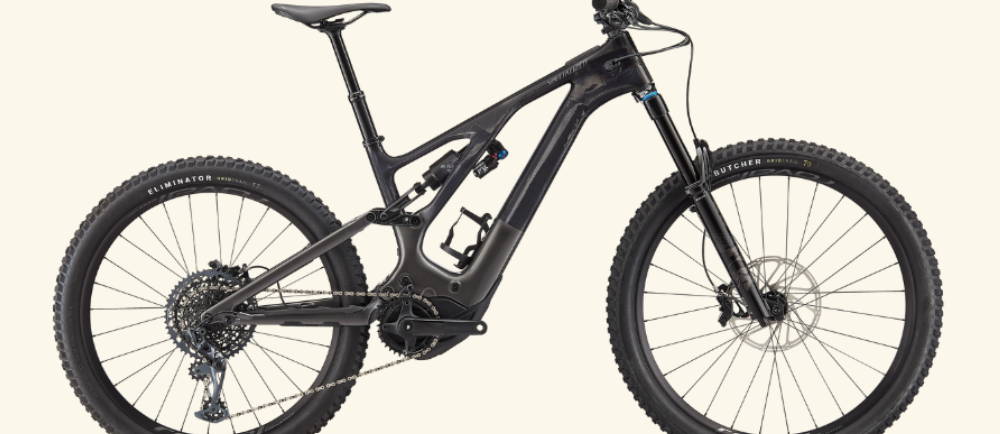
- The integration is clean, and the handling tends to feel like a real bike first, especially on their sportier models.
- They’ve invested heavily in the Turbo ecosystem, including app-based tuning and ride management tools.
- You get two vibes: full-power Turbo bikes for torque and utility, and SL (“Super Light”) models that stay closer to analog handling.
The tradeoff is simple: because the system is integrated and smart, error messages matter—and sometimes the fastest fix really is a dealer diagnostic.
Error vs. Not Found: What It Means
Specialized distinguishes between:
- Error messages: need investigation (sometimes parts, sometimes a sensor/setup issue).
- Not found / no [component]: often a communication problem (loose connector, damaged cable, moisture).
How Turbo errors show up by display type
If you ride a Turbo bike, you might notice that the same problem can look different depending on which display you have. On some MasterMind displays, for example, messages are framed in color—green for notifications, blue for information, yellow for warnings, and red for errors. Sometimes, you’ll see a prompt like “Check App” when you need to take action. Other displays keep it simple, showing a text message with an info icon.
Then there’s the TCU-style LED unit, which signals errors in its own way: a single red blinking bar at the top, with one or more blue blinking bars below. Each blue bar corresponds to a specific issue, almost like reading a code.
- MOTOR ERROR: blue bar #3
- MOTOR NOT FOUND: blue bar #2
- BATTERY ERROR: blue bar #5
- BATTERY NOT FOUND: blue bar #4
- RANGE EXTENDER BATTERY ERROR: blue bar #6
- BATTERY and MOTOR ERROR: blue bars #3 and #5
- TCU COIN CELL LOW / EMPTY: blue bar #8
- UPDATE ERROR: blue bar #7
Display note: Some MasterMind displays use color-coded frames and may prompt you to “Check App,” while the TCU can signal issues with a red bar plus one or more blue bars.
Core Specialized Turbo Display Messages
Quick note: Wording can vary by model year and display, but these are the main Turbo message categories.
Motor Error
What it usually means: The system is flagging a motor-related fault (sometimes triggered by missing inputs like speed data).
Start with a clean restart, then do a quick scan for any pinched or tugged cables around the head tube. If the code comes right back or the assist still won’t engage, it’s time to take it to a dealer.
Sometimes, the issue starts earlier in the system. For example, if the speed sensor magnet is bumped out of place or missing, the speed data will not register. In these cases, the problem is not with the motor itself.
Battery Error
What it usually means: Battery fault or battery protection (communication, internal issue, or temp-related).
Try this first:
- Restart and reseat the battery (if removable).
- Let the battery return to a normal temperature.
Go to a dealer if it repeats, the bike shuts down under normal riding, or the battery looks damaged.
Range Extender Battery Error
What it usually means: Fault with the range extender battery (if equipped).
Try this first:
- Disconnect/reconnect the extender and restart.
- Go to a dealer if the extender won’t charge/recognize reliably.
When to contact a shop: If 0x24 repeats, this is usually not a quick at-home fix and may involve motor or controller diagnostics.
Battery And Motor Error
What it usually means: Both battery and motor faults are being flagged together.
Try this first:
- Restart and recheck battery seating (and extender connection if applicable).
- Go to a dealer if it repeats.
Motor Not Found
What it usually means: The display can’t communicate with the motor (often connection/communication).
Try this first:
- Restart, and let the system dry fully if the bike got soaked.
- Go to a dealer if it persists.
Battery Not Found
What it usually means: The system can’t “see” the main battery (seating, latch, or contacts).
Try this first:
- Power off, remove/reinstall the battery (if allowed), wipe contacts dry.
- Go to a dealer if the bike repeatedly won’t recognize the battery.
🤝 Why you can trust us for buying an e-Bike?
- Great prices: Get your next e-Bike for up to 60% off retail prices, in new or like-new conditions.
- Quality Guaranteed: Every e-Bike is rigorously certified by a team of professional mechanics, and comes with a 1-year warranty.
- Delivered to Your Door: Delivered to your home within a week. Change your mind? Return it thanks to our 14-day return policy.
🚲 We also buy e-Bikes. Click here for an estimation!
TCU Coin Cell Battery Low / Empty
What it usually means: Low internal coin cell for the display electronics (not the main e-Bike battery).
Try this first:
- Replace the coin cell per Specialized guidance (or have a shop do it).
Update Error
What it usually means: Firmware update didn’t complete successfully.
Try this first:
- Restart and restart the update process in the Specialized app or dealer workflow.
- Go to a dealer if updates fail repeatedly.
Battery Cell Imbalance: Battery Trail Display
What it usually means: Some batteries can signal a cell imbalance with flashing red LEDs and a continuous beep.
Try this first:
- If the battery is damaged or unusually warm, do not charge it.
- Contact an Authorized Specialized Retailer to verify battery status with Specialized diagnostic software.
- It’s not automatically an emergency—unless the battery shows damage, gets unusually warm, smells, swells, etc.
When to Visit a Specialized Dealer
Go straight to a dealer or Authorized Specialized Retailer if:
- Any battery error repeats
- Any “not found” message persists after reseating/restarting
- You have water intrusion, corrosion, swelling, melting, or an electrical smell
- Update errors keep looping
Preventing Repeat Errors
- Keep ports clean and dry; avoid pressure washing around motor/battery/ports.
- Let the bike dry fully before charging if it got soaked.
- On climbs, shift early and spin. Low cadence in high assist spikes heat and current.
- Store and charge batteries at moderate temps.
Frequently Asked Questions
Are these messages the same across all Specialized Turbo e-Bike models?
What should I do first when an error message appears?
Safely stop, take a photo, power down for 20–30 seconds, then restart. If the display says “Check App,” follow the rider action in the Specialized app
When should I stop troubleshooting and take it to a shop?
If the message reappears right away after a clean restart, or anytime you’re dealing with repeating battery errors, water intrusion, heat, or an electrical smell.
Key Takeaways
- Specialized was founded in 1974, the Stumpjumper debuted in 1981, and Turbo launched in 2012.
- Turbo systems rely on display messages (and “not found” prompts), so treat the exact wording as your clue.
- Start simple: photo, power cycle, reseat and dry connections, cool down. If it repeats, a Specialized dealer scan is usually the fastest fix.