Start simple: power off, wait a few seconds, restart. If your battery is removable, remove it for 20–30 seconds, reseat it firmly, then restart. If the same code returns immediately, the reset worked—but the underlying issue persists.
Mondraker E-Bikes Error Codes List: Quick Fixes for Bosch, Shimano, and TQ Systems
Written by: Chris Van Leuven | January 30, 2026 | Time to read 4-5 min
Mondraker e-Bike error codes explained for Bosch, Shimano, and TQ—quick resets, common codes, speed sensor fixes, and when to call a shop for e-Bike repair.

More about the Author: Chris Van Leuven
Chris is a writer, climber, and founder of Yosemite E-Biking in Mariposa, CA. When he’s not tackling Sierra Foothills trails or scaling rock walls, he’s crafting adventure stories with his boxer, Fenster. His work has appeared in Outside, Men’s Journal, Gripped, and Best American Sports Writing.
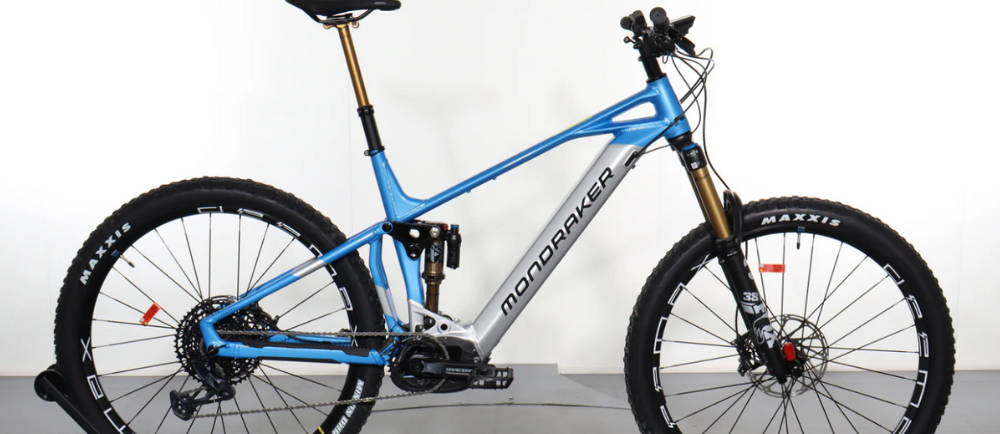
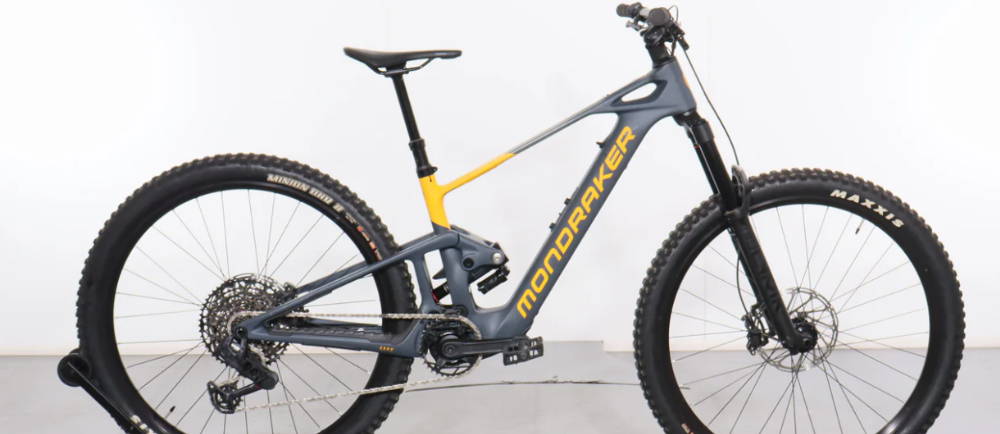
Mondraker, a Spanish mountain bike brand that got its start in Alicante back in 2001, has a knack for building bikes and e-Bikes that look fast even when they’re parked. Their frames are long, low, and practically beg to be ridden hard. If you’ve spent any time around their bikes, you’ll notice signature touches like Forward Geometry and the Zero Suspension System—hallmarks that run through much of their trail and enduro lineup.
Still, when you’re out on the trail, and an error code flashes across your display, it’s tempting to blame the bike itself. In reality, most of those codes aren’t originating from Mondraker at all. They are usually messages from the drive system hidden in the frame—Bosch, Shimano, or TQ sending alerts.
I created this guide so you can get back to riding quickly, whether you’re standing in the dirt with your bike against a tree or working in your garage.
Begin with common issues like magnets, connectors, and heat. If you restart the system and the same code appears again, it’s a sign to stop troubleshooting yourself and have a shop run more in-depth diagnostics.
👋 Welcome to Upway!
Upway is your top destination for buying and selling e-Bikes online. Discover your next e-Bike at up to 60% off retail prices, available in new or like-new condition.
Table of Contents
Identify your Mondraker motor system: Bosch vs. Shimano vs. TQ
Before you start: quick reset and “don’t-miss” checks
Error 503: Speed sensor signal missing or implausible
Error 510: Internal sensor fault detected
Error 530: Battery not detected / battery connection issue
Shimano error codes list: E-codes and W-codes
W013: Torque sensor initialization incomplete
E033: Firmware compatibility/system operation issue
TQ error codes list: NEAT and other light e-MTB builds
When to stop riding and contact a shop
Identify Your Mondraker Motor System: Bosch vs. Shimano vs. TQ
It helps to know which drive unit you’re working with, since each one has its own way of talking to you when something’s up.
Bosch
Often shows 3-digit codes (and sometimes longer internal codes) on displays like Purion and Kiox, as well as in the Flow app.
Shimano
Often shows E-codes and W-codes (e.g., E010, E020, W013), with more detailed information in Shimano’s E-Tube ecosystem.
TQ
Common on Mondraker’s lighter e-MTB category (like NEAT), with TQ-style “ERR” codes and prompts through the display or app.
Here’s how you can quickly figure out which system you’ve got:
- Look at the branding on the display/remote (Bosch, Shimano STEPS, TQ).
- Check the app you use (Bosch Flow App, Shimano E-Tube Project, TQ E-Bike).
- If you’re still not sure, grab your bike’s spec sheet or look up the build name to confirm which drive unit is along for the ride.
Before You Start: Quick Reset and “Don’t-Miss” Checks
If your motor starts surging, cutting out, or you notice anything strange with the brakes, pull over somewhere safe. This isn’t the time to just keep pedaling and hope it sorts itself out.
- Give the system a fresh start: turn the bike off, wait about ten seconds, then power it back up.
- If your battery comes out, pull it out for 20 or 30 seconds, then snap it back in place with a solid click.
- Check the two usual suspects:
- Speed sensor and spoke magnet: If the magnet is too far away, bumped out of alignment, or packed with mud, the system can’t read speed cleanly. Bosch and TQ both call out spoke magnet alignment for speed-signal-related faults.
- Battery seating and contacts:Even a battery that’s just a hair out of place, or dirty or damp contacts, can cause random cutouts and connection errors. Dry everything off and make sure the battery is fully seated before you start chasing other problems.
Also:
- If you’ve recently changed your wheel circumference or tire size settings, double-check those numbers. A bad speed input can set off a whole chain reaction of weird behavior from your bike.
- Skip the third-party speed tuning. Bosch is quick to flag any distorted speed signals, including anything that looks like tampering, and will often cut back your motor’s assistance if it senses something off.
Bosch Error Codes List
Bosch codes tend to be direct: restart first, then check the most common physical culprit (speed sensor alignment, battery seating, heat).
Error 503: Speed sensor signal missing or implausible
What it feels like: Assist may cut out, speed may drop to zero, or assistance may be reduced.
Try this first:
- Check spoke magnet alignment and distance to the sensor.
- Clean mud/dirt off the sensor zone.
- Restart the system.
Error 504: Speed signal distortion detected
What it feels like: Assistance may be reduced, and the system doesn’t trust the speed reading.
Try this first:
- Recheck magnet position and spacing (too far away is classic).
- Check for anything that could be interfering with the signal (including tuning/tampering).
- Restart.
Error 510: Internal sensor fault detected
Try this first:
- Restart. If it returns right away, you’re usually into diagnostics territory.
Error 530: Battery not detected / battery connection issue
Try this first:
- Power off, remove, and reinstall the battery (if removable).
- Inspect contacts for debris or moisture (dry fully before charging).
- Restart.
Error 540: Temperature error
What it feels like: assist fades or shuts down when the system is too hot (or outside its allowable temperature range).
Try this first:
- Drop the assist level, spin an easier gear at a higher cadence.
- Let the drive unit cool (or warm) back into range, then restart.
If you’ve already checked the speed sensor and battery seating, but those Bosch errors keep coming back, that’s your cue to hand things over to a shop. Let them run the diagnostics and save yourself some time and frustration.
🤝 Why you can trust us for buying an e-Bike?
- Great prices: Get your next e-Bike for up to 60% off retail prices, in new or like-new conditions.
- Quality Guaranteed: Every e-Bike is rigorously certified by a team of professional mechanics, and comes with a 1-year warranty.
- Delivered to Your Door: Delivered to your home within a week. Change your mind? Return it thanks to our 14-day return policy.
🚲 We also buy e-Bikes. Click here for an estimation!
Shimano Error Codes List: E-Codes and W-Codes
Shimano STEPS is usually clear about whether you’re seeing a warning or an error:
W-codes = warnings (bike may still run, but something isn’t ideal)
E-codes = errors (assistance often turned off until resolved)
W013: Torque sensor initialization incomplete
Try this first:
- Power off. Restart with no pressure on the pedals.
- If it repeats, a shop may need to check calibration/sensor behavior.
E010: System error detected
Try this first:
- Restart the system.
- If it persists, you’re into diagnostics.
E020: Communication error
Try this first:
- Restart.
- Check visible cables/connectors for looseness or damage.
- If it persists, a shop will need to isolate the component causing the failure.
E033: Firmware compatibility/system operation issue
This one commonly points to a firmware mismatch or update requirement. The best move is to update through E-Tube (or have a dealer do it) so all components are speaking the same version.
TQ Error Codes List: NEAT and Other TQ-HPR50 Builds
Mondraker’s lighter e-MTBs, like the NEAT, are built to feel quiet and natural on the trail. Still, the whole system depends on smooth communication between the drive unit, battery, display, and sensors. TQ lists error codes in their manuals, and you’ll often see them pop up as ERR messages on your display.
Start here (always):
- Restart the system.
- Check battery seating and contacts (dry and clean).
- Check the speed sensor magnet alignment if the code is speed-related.
A few TQ codes you may actually see (examples from TQ documentation):
- ERR 0401 DRV SW:General software error
What to try: reboot; if the firmware is outdated, update it (a dealer/service tool may be required). - ERR 0481 BATT COMM:Battery communication error
What to try: reboot; if it persists, dealer diagnostics. - ERR 047F DRV HOT:Drive unit overtemperature error
What to try: switch off, let it cool, restart; visit a dealer if persistent. - ERR 04A8 SPD SENS: Speed sensor error
What to try: check magnet clearance/alignment. If a TQ error keeps showing up after you’ve restarted and checked the basics, it’s time to let a shop take a look. This isn’t the moment to keep guessing and hope it goes away.
When to Stop Riding and Contact a Shop
Stop riding and get help if:
- The code mentions (or behaves like) short circuit, repeated motor faults, or battery faults
- The bike won’t stay powered on, or assist cuts in and out unpredictably
- You smell hot electronics, see melted plastic, or notice arcing/sparking
- The same code returns immediately after a clean restart and basic checks
- That’s where you draw the line between a quick fix and a repair bill you’d rather avoid.
Frequently Asked Questions
How do you reset an e-Bike error code?
What does E3 mean on an electric bike? What does P03 mean on an e-Bike?
Those codes aren’t universal. On most Mondraker builds, you’ll see Bosch-style codes (like 503/504/530) or Shimano STEPS E and W codes (like E010/W013). If you’re seeing “E3” or “P03,” it’s probably specific to your exact display/controller (or an aftermarket part). The best move is to match the code to the precise system manual.
What’s the most common e-Bike problem behind “mystery” errors?
Speed sensor issues are near the top: a bumped spoke magnet, a sensor slightly out of alignment, or dirt in the sensor zone. Battery seating issues and heat cutbacks are also common—especially after long climbs in high-assist mode.
Key Takeaways
- Start with a clean power cycle, then check the speed sensor magnet and battery seating. Those two solve a surprising percentage of “random” errors.
- Remember, Mondraker is just the platform. The error codes themselves come from Bosch, Shimano, or TQ. Make sure you’re matching the code to the right system before you start troubleshooting.
- If the same code pops up right after a restart, stop guessing and get a proper diagnostic.