Check that the battery is fully seated and charged, then check the display cable connection. If those are fine, check your user manual for lock or anti-theft settings.
E-Bike Display Problems: How to Fix Them
Written by: Tom Fortune | June 15, 2026 | Time to read 5 min
A dead display doesn’t always mean a dead e-Bike. Most of the time, the electric bike fix is simpler than you think. Here’s what to do.

More about the Author: Tom Fortune
Tom is a Brit living in the French Alps. When he's not creating written and video content for various brands, he's either pedalling or snowboarding around his local mountains. E-Bikes have unlocked the potential for Tom to explore Alpine terrain and get away from the crowded bike parks. He is only too keen to share his knowledge and experience with other riders.
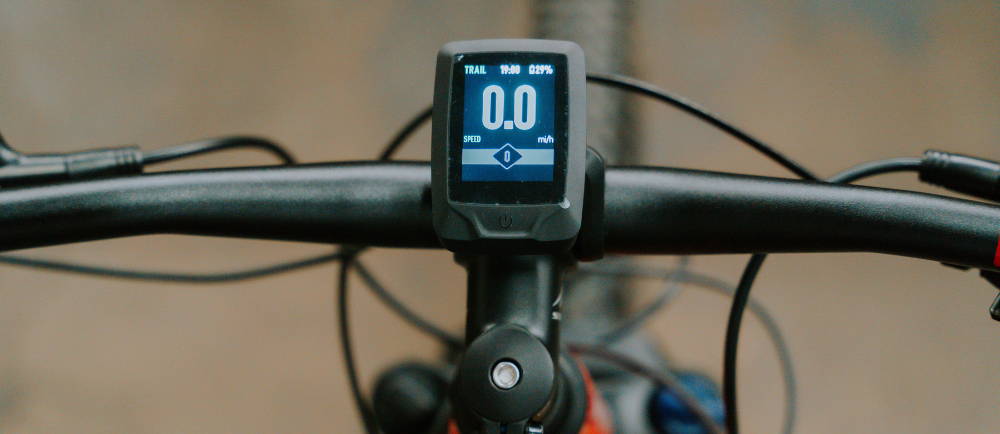
Nothing’s more frustrating than heading out for a ride and finding a blank screen staring back at you. I’ve been there, and it automatically makes me feel like my day is ruined. The good news is that most display problems aren’t actually display problems. Loose connections, a flat battery, a shifted magnet, or a bit of water in the wrong place cause the majority of issues I’ve seen. Here’s how to work through it.
What Does the Display Actually Do?
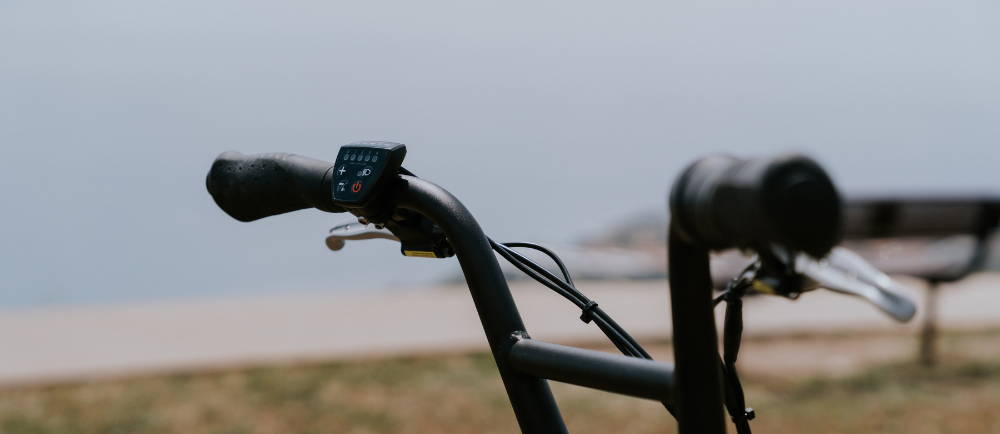
Think of it as the brain of the whole operation. It manages your battery level, assist mode, and speed, and receives error messages from the motor controller. That last part is important because it means when something goes wrong somewhere in the system, the display is usually where you’ll hear about it first.
I’ve been convinced my electric mountain bike motor was dead a couple of times. The first time, it turned out to be a loose cable behind the display; the second time, the display just froze, and taking the battery out and putting it back in woke it up. Annoying to diagnose, two minutes to fix. What feels like a motor or battery problem is sometimes just the display not getting the right signal. Here are some checks you can do when the display goes dead:
👋 Welcome to Upway!
Upway is your top destination for buying and selling e-Bikes online. Discover your next e-Bike at up to 60% off retail prices, available in new or like-new condition.
The Display Is Completely Blank
Start here, because this is the most common one.
First thing I do is take the battery out and put it back in. A battery that looks seated can still be missing that last click of contact, and that’s enough to kill the display. Once you’ve put the battery back in firmly, try the power button again before you do anything else.
If that doesn’t work, replace the controller’s battery (if it has one). It runs the clock and saves your settings. If it dies after a long winter in the shed, the display can act up or refuse to start. Check your user manual to see if yours has one.
Check the cable running from the display down to the controller if you’re still not having any luck. It can come loose after a rough ride or a knock during transport. Find where it connects to the main wiring harness and make sure it’s properly seated.
The last thing to check before you panic is the lock mode. Some systems just stay dark until you do a specific button combination or unlock them through the app. I’ve watched riders convince themselves the display was dead when it just needed a long press to wake up.
| What you see | Likely cause | First move |
|---|---|---|
| Completely blank screen | No power, flat battery, loose connection | Reseat battery, check charge level, check display cable |
| Blank screen after storage | Internal battery flat, BMS protection, deep discharge | Charge correctly, consult user manual |
| Screen flickers or cuts in and out | Loose connector, damaged display wiring | Check cable connections, look for damaged wires |
| Lock icon showing | Anti-theft or lock mode active | Consult user manual for unlock procedure |
The Display Turns On But Acts Strangely
You may see the speed stuck at zero even though you’re moving. That’s almost never the display. It’s the speed sensor magnet on your spoke, which has probably shifted or become clogged with debris. Find it and line it up with the sensor. This should fix your problem in a couple of minutes.
If the controller buttons are not doing anything, they might just be sticking. In that case, hold the power button for a few seconds for a proper restart, not a quick press. Sticky buttons after a wet ride usually mean moisture got in somewhere. I go into this a bit more below.
An issue with your battery percentage is the tricky one. If the controller says your battery is full, but the bike dies, you have a battery problem. If your display shows an empty battery even though you know it is charged, it's more likely a calibration or communication issue. Neither is urgent, but both are worth flagging to a shop if they keep happening.
Error Codes on the Display
Error codes are useful, but they quite often differ between brands. For example, Bosch uses one system, Shimano uses another, and Bafang uses something else entirely. The same number can mean completely different things on different bikes. If you find an answer on a forum saying "error 10 means X," it might be right for their bike and completely wrong for yours. Always go to your own user manual first.
Some patterns do come up a lot, though. Speed sensor codes like Bosch's 503 almost always mean the magnet has shifted on the spoke. Communication errors usually point to a loose connector. Motor or drive unit codes like Shimano's E010 are the ones worth taking more seriously.
My rule is simple. Clear it once and see if it comes back. If it does, stop clearing it and get it looked at. The bike isn't throwing codes for fun.
Water Damage and Display Problems
Water causes more display problems than anything else, and it is usually not from riding in the rain. It is from washing the bike. My friend found this out the hard way with a pressure washer and a display that never quite worked right again afterward.
Most displays are water-resistant, not waterproof. Light rain is fine, and a commute in a downpour is probably fine too. Pointing a jet wash at the display is not a good idea. The same goes for riding through deep water or leaving the bike out in heavy rain for a long time.
If your display starts acting up after a wet ride, turn the bike off and, if you can, remove the battery. Don't keep pressing buttons to test it. Leave it somewhere warm and dry for a day before switching it on again. Forcing current through wet electronics can cause permanent damage to your display before you’ve given it a chance to dry out and work again.
It is also worth checking the connectors where the display cable plugs into the wiring harness. That is where water tends to get in. Seals wear down on bikes that get hosed regularly. If corrosion has set in or the display is still not right after drying out, you’ll need specialist help.
The Display Is Physically Damaged
A cracked screen, broken mount, or a button that won't click anymore are all easy to spot. Fixing them is less straightforward than it looks, though. Most displays on name-brand bikes are proprietary. You can't always just order a generic replacement. A Bosch Intuvia replacement has to be the exact right one for your system and model year. The mount fitting is the least of it.
A crack that is not affecting anything yet is still worth dealing with. Water finds its way in, and what starts as a cosmetic issue can quietly become an electrical one over a few wet rides.
And don't be tempted by a display from another bike, even one that looks identical. Compatibility comes down to the motor system, the firmware, and how the units communicate. The plug fitting means nothing.
Firmware and Software Issues
If your display is suddenly doing weird things, or it was working fine and then just stopped, it can sometimes be fixed with a firmware update. Before assuming something is physically broken, it is worth trying.
Bosch, Specialized, Trek, and most other major brands have apps that push updates via Bluetooth. If the display won't connect to the app, restart the bike and your phone before doing anything else. Half the time, that is all it needs.
If the screen is frozen or showing gibberish, hold the power button for ten seconds. On many systems, pulling the battery out for 30 seconds and putting it back in does the same thing (my favorite fix). Your user manual will have the exact reset sequence for your specific display.
When To Stop Troubleshooting
Everything in this blog is stuff you can safely do yourself. Once you’ve done all of it, stop. Don't open the display unit, don't cut wires, and don't try to work around the system. These things are sealed for good reason, and improvising can void your warranty on top of whatever problem you already had.
If the same error code keeps coming back after every restart, take the bike to a shop. The same applies if the display started behaving differently after a crash, or if you think water has gotten into the motor controller, not just the screen. Intermittent problems have a habit of looking minor right up until they are not.
Buying a Pre-Owned E-Bike? Here's Why the Display Matters
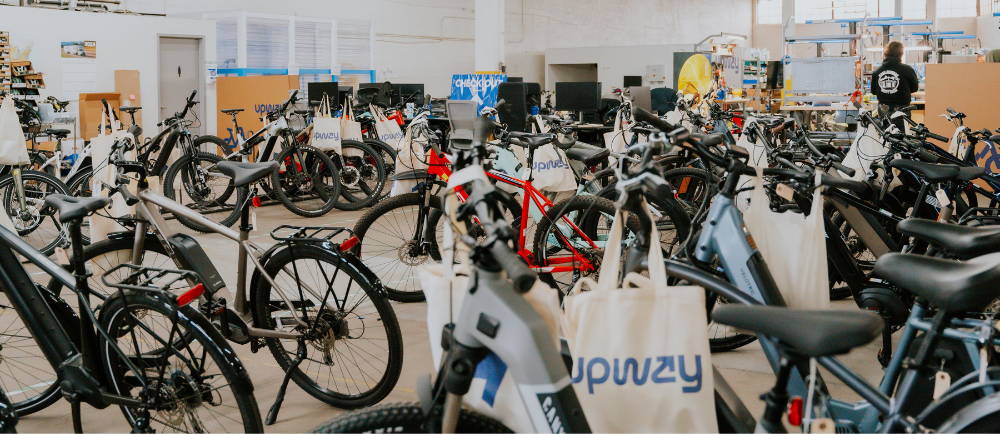
The problem with buying a used e-Bike privately is that display issues are hard to spot on a quick test ride. A bike can turn on, show a reading, and feel fine for ten minutes, but still have an intermittent fault that only shows up under load. I've seen this happen. The seller is not always hiding it. They might not even know.
That is why I buy through Upway. Every bike gets a 50-point mechanical inspection before it goes up for sale, covering the electrical system, display function, wiring, and battery communication. Any battery below 80% gets replaced before the listing goes live. You are buying something that has been properly checked, not just wiped down and photographed.
Browse all Upway’s e-Bikes or check out the other troubleshooting guides: why your e-Bike motor keeps cutting out and what to do when your battery turns on but the bike has no power.
Frequently Asked Questions
Why is my e-Bike display not turning on?
Can water damage an e-Bike display?
Yes. Most displays are water-resistant, not waterproof. If the display acts up after a wet ride, turn the bike off and let it dry fully before testing again.
What do error codes mean?
They vary by brand, so check your user manual first. If the same code keeps returning after a restart, get the bike to a shop.
Key Takeaways
- Most e-Bike display problems come down to power, connections, or water. Check the battery, reseat the display cable, and inspect connectors before assuming the display itself is broken.
- Error codes are a starting point, not a diagnosis. Always check your user manual for your specific system, and don't keep clearing the same code without investigating the cause.
- If the display shows physical damage, repeated faults after a restart, or signs of water ingress in the connectors, it's time to stop troubleshooting at home and visit a shop.